One Label for Every Flavor: Stop Ordering a Different Label for Every Candy You Make.
Too many candy flavors can turn label ordering into a mess. See how one printed label shell and on demand details can simplify the whole system.
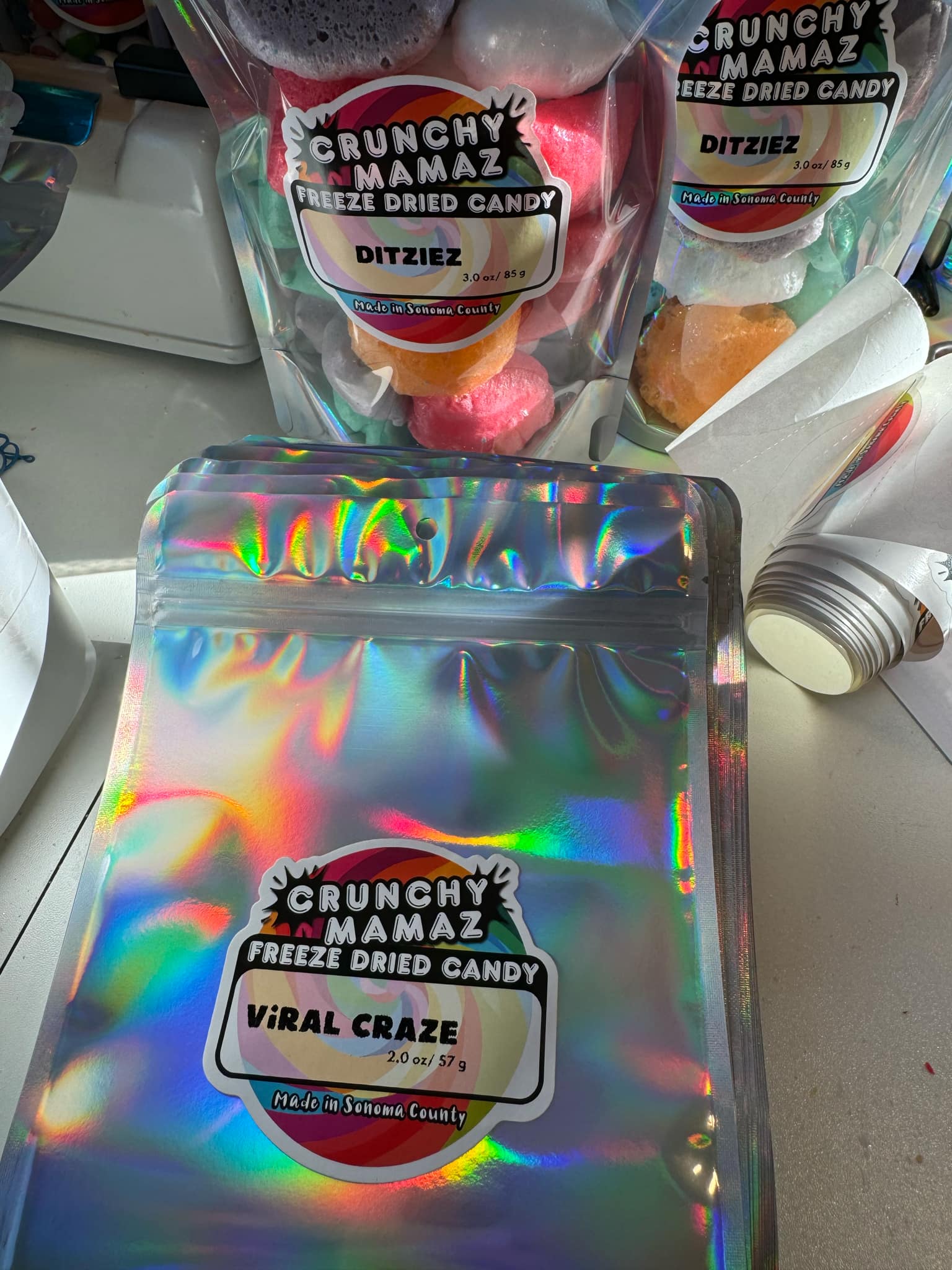
A new candy business often starts with two or three flavors. Then a customer requests sour. A holiday flavor works. A test batch becomes a regular. Before long, the label shelf looks like a small stationery store, and none of the rolls run out at the same time.
The problem is not just the cost of separate designs. It is the chaos around them. Every flavor has its own artwork file, quantity, reorder point, and chance of becoming dead stock. You can be sold out of labels for the candy people want while holding a nearly full roll for the flavor nobody has ordered since spring.
There is a middle ground between printing everything at home and ordering a separate finished label for every variation. It is a label system.
How the Smart Label System works.
The Smart Label System splits the label into two jobs. URGrafix prints the full color branded shell. That shell carries the parts that stay consistent, such as your logo, business identity, and the main design. At your packing table, a thermal printer adds the details that change from batch to batch.
Those changing details can include the flavor, weight, ingredients, production or best by date, and batch information. Instead of treating every flavor as a brand new label project, you keep one strong design and print the variable information when you know what is going into the package.
That difference matters on a busy packing day. If you test a new flavor, you do not have to pause the launch while a separate design is made and printed. If a date changes, you print the current date. If one flavor needs a different weight, the information can change without changing the branded shell.
Where separate label orders start leaking money.
Small orders can be sensible for a trial. The trouble starts when a growing menu stays split into trial sized pieces forever. Each design is managed on its own. Each one reaches a low stock warning at a different time. A small artwork change can mean touching every file. If the menu changes, older rolls may never be used.
There is also the mental cost. Before a market, you are not just checking candy inventory. You are counting strawberry labels, peach labels, mixed bag labels, and holiday labels. One missing roll can hold up a product that is already dried, bagged, and ready to sell.
A shared shell turns most of that into one supply. You watch one main label inventory and keep thermal stock for the details. Your flavors can rise, fall, rotate, or take a break without turning every menu change into a packaging purchase.
When this system fits.
This is a strong fit when you sell several flavors of a similar product, change dates often, run seasonal batches, or offer more than one weight. It also helps when your ingredients vary by flavor and you need that information to stay with the batch instead of being locked into a long print run.
Freeze dried candy sellers are a natural fit because the menu is part of the fun. New candies and limited runs are easy to test. A seller can respond to what customers ask for without rebuilding the packaging every time.
It may be less useful if you sell one stable product and the information never changes. A finished printed label for that single design is simple. It may also be the wrong tool if you do not want another printer at the packing table or your variable information needs more room than the label layout can give it. Good system design starts with the actual package, not the gadget.
Keep the brand looking finished.
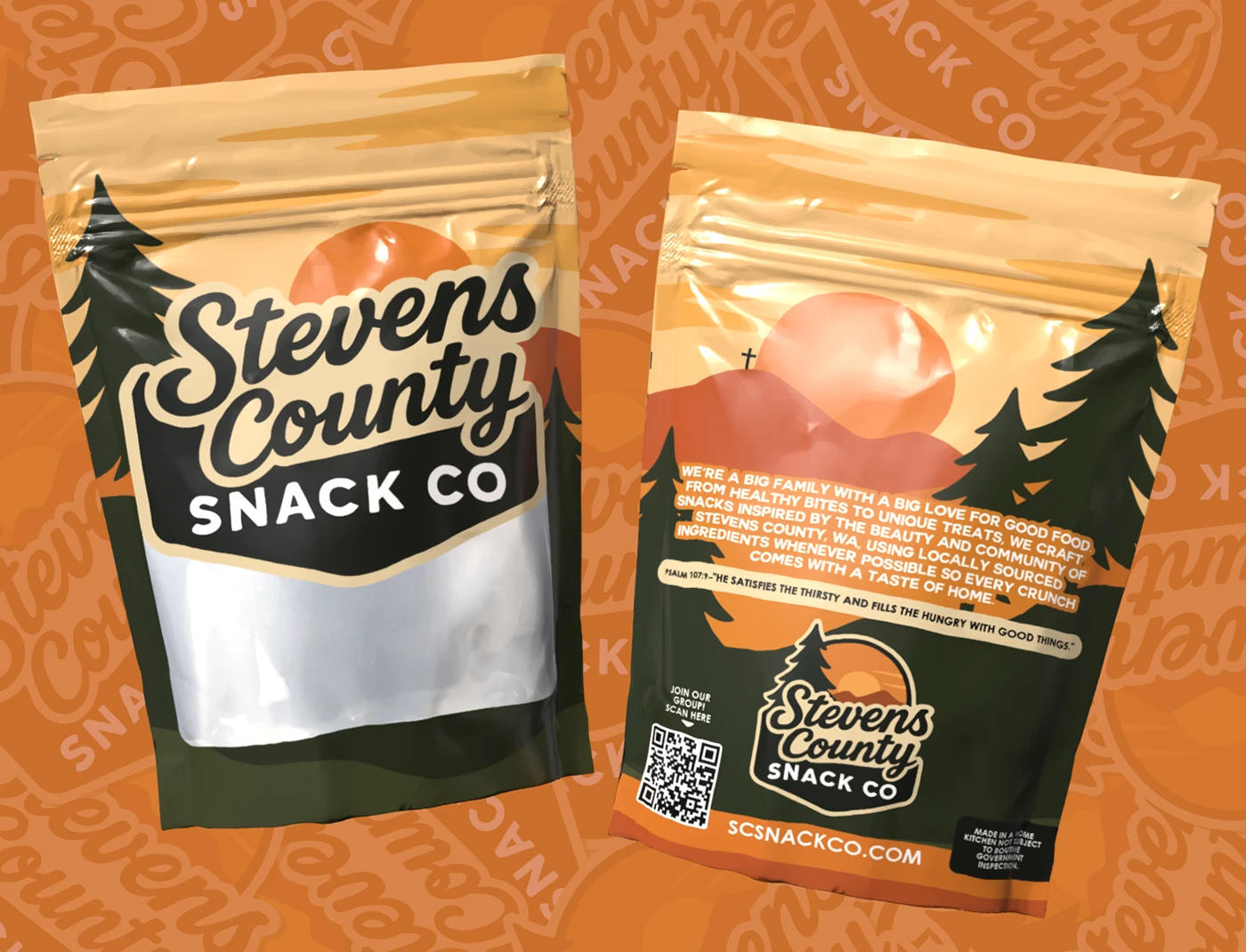
A common worry is that a shell plus thermal printing will look half homemade. It does not have to. The full color shell does the branding work first. The thermal area should be planned as part of the design, with a clean space, readable type, and enough contrast for the information.
Before you commit, list every changing detail you expect to print. Check the longest flavor name. Check the longest ingredient statement. Look at the date format and batch code. A system that works for short names can fail when a seasonal flavor arrives with a paragraph attached.
Also decide who checks the variable information before packing starts. One wrong date copied across a whole batch is still one wrong date. The system saves steps, but it does not replace a final proofread.
Price the system, not just the next roll.
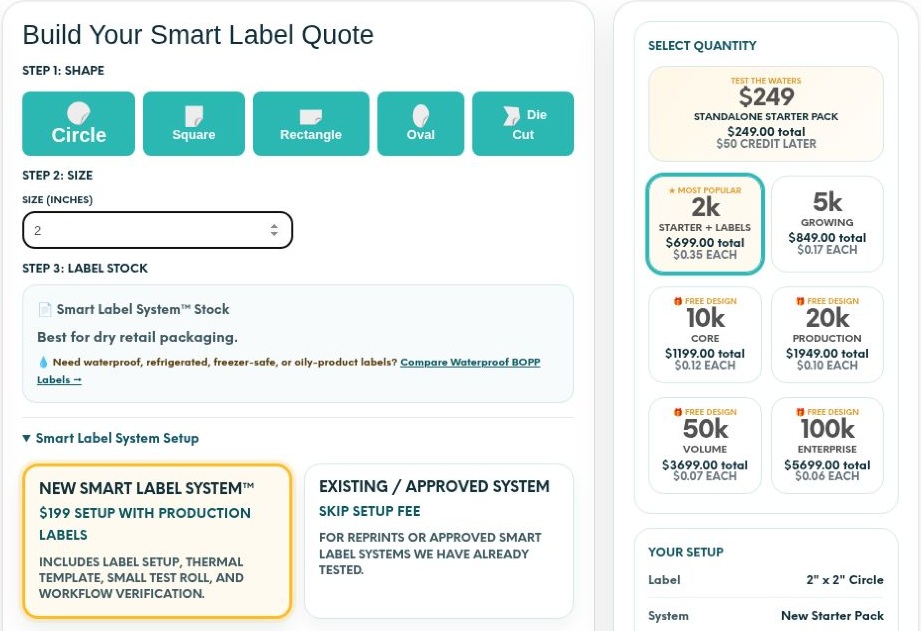
When you compare options, look at the work over a full season. Count the designs you maintain, the rolls you reorder, the stock you throw away, the thermal supplies you will use, and the time spent fixing files. The cheapest next order is not always the cheapest system.
The Smart Label Quoter lets you build a quote around that shared shell approach for your own product mix. Start there after you know your flavors, package size, and the details that change.
One label does not have to mean one flavor. It can mean one organized system that lets the menu move.
Tool link: Smart Label Quoter
Examples are illustrative unless stated otherwise. These guides use AI-assisted drafting and do not represent product tests or guaranteed business results. Read our editorial approach.